Give yourself an online privacy check-up and start 2020 securely

In 2020, stop handing over all your personal information online. Photo: Edwina Seselja
2020 is off to a chaotic start, but you can wrest back a small bit of control online.
First, let’s be clear. Most internet services are built to extract data from us, and only legal and structural change can tackle this.
Governments also want citizen data collected for their own purposes.
Nevertheless, taking personal steps to try and lock down your online life is still vital.
Like cleaning your house, it can be an immensely satisfying tool of useful procrastination as you ease back into the working year.
In that spirit, here are two things you should do this year to be more secure on the internet.
And two things you shouldn’t do (or at least, things you should think twice about).
Do get a password manager
It’s the third decade of a new century, people. You simply cannot have a password like “12345” or “password1”.
A password manager can help you create a complex and unique password for each online account, from music streaming to banking.
These services act like a secure vault, storing the codes for you, so you don’t have to remember them – or jot them down on post-its.
You can use password managers on desktop computers and smartphones, and while nothing is 100 per cent reliable, services like 1Password and LastPass are mostly easy to use.
Do your research first before choosing a password manager, and remember, any free service must come with some sort of trade-off.

Using a password manager is key to protecting your online identity. Photo: Unsplash/Bernard Hermant
A password manager is not enough on its own, however.
Another important security step is to use a technique called two-factor authentication.
This means that when you log into an online service, you’ll also need to enter a randomly generated numerical code that is sent to your smartphone.
This is a helpful backup against people trying to log in who aren’t you.
Many services insist on sending the code to your mobile phone number, which experts generally agree is not the safest option.
If possible, use an authentication app instead.
These services create six-digit access codes that are periodically refreshed.
Do clean your digital house
Think about all the online accounts you’ve created over the years – online shopping profiles, old news subscriptions and gym memberships.
Did you create a fresh username and password for each one, or did you use Facebook to log in?
If it’s the latter, Samantha Floreani of the Australian Privacy Foundation recommends doing a “social media clean up” and unlinking your Facebook profile from the apps and websites you use.
“Many people click ‘connect with Facebook’ without thinking to quickly gain access to services and platforms,” she said.
“Now’s a good time to go back in and disconnect them.”
Facebook’s tentacles are all over the internet, but you can limit its reach.
The start of the year is a good time to clean up your online presence generally.
Delete old apps. Log in and actively delete accounts you don’t use rather than letting them sit there vacant.
That also means setting up your password manager will be quick and clean.
Don’t use public wi-fi (without a VPN)
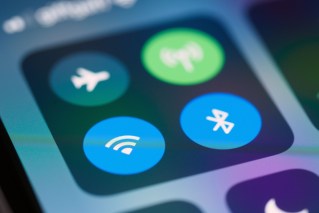
If you look at your smartphone right now, you’ll likely see a whole list of public wi-fi networks you could join.
Don’t use just any of them – at least, not without protection.
Professor Katina Michael, a privacy researcher at the University of Wollongong, said her top advice for 2020 was not to use free wi-fi when doing online banking.
It’s difficult to know who else is sitting on that network, spying on your traffic.
2020 is also the year to get a virtual private network or VPN, says Tim Singleton Norton, the chair of Digital Rights Watch.
A VPN masks your web traffic, hiding it from anyone who wants to see what you’re up to online. However, not all VPNs are created equal.
Like a password manager, a free service is never really free.
When doing your research, Mr Singleton Norton suggested asking where the VPN’s servers are located, and whether they comply with government requests for data logs.
In his view, VPNs are also invaluable for shielding your online activities from government surveillance.
“Is their server located in Australia or any of the partners of the global Five Eyes spy-sharing partnership: USA, UK, NZ, Canada; and do they comply with government agency requests for data logs?” he asked.
“It’s not a completely infallible solution.
“A VPN is a good start to protect yourself from completely unwarranted state surveillance.”
Don’t get every ‘smart’ home device
Not everything should be connected to the internet.
You’ll likely be able to survive without a fridge that lets you watch Netflix, for example.
Before you go buying smart devices for your home, think about the security you are trading for convenience.

Privacy experts are concerned about smart home devices, such as Amazon’s Alexa. Photo: Amazon.com
Anything with an online connection can be hacked, and “internet of things” devices generally have a bad reputation for security.
In 2019, multiple revelations made it clear that even when devices that use voice recognition appear to be fully automated, real live humans still sometimes need to help out and review audio.
Dr Michael thinks people should stop buying “internet of things” devices “that can’t be trusted on a multiplicity of fronts”.
That’s echoed by Ms Floreani, who said: “Throw your Google Home, Alexa or whatever home assistant you got for Christmas straight in the bin. In. The. Bin.”
If you must have an internet-connected door knob, at least change the password from its default factory setting.
Otherwise, your device may end up being part of a marauding international botnet that brings much of the internet to a halt, and you’ll never know.